
Understanding the Finesse Smart Watch Features
Display and User Interface
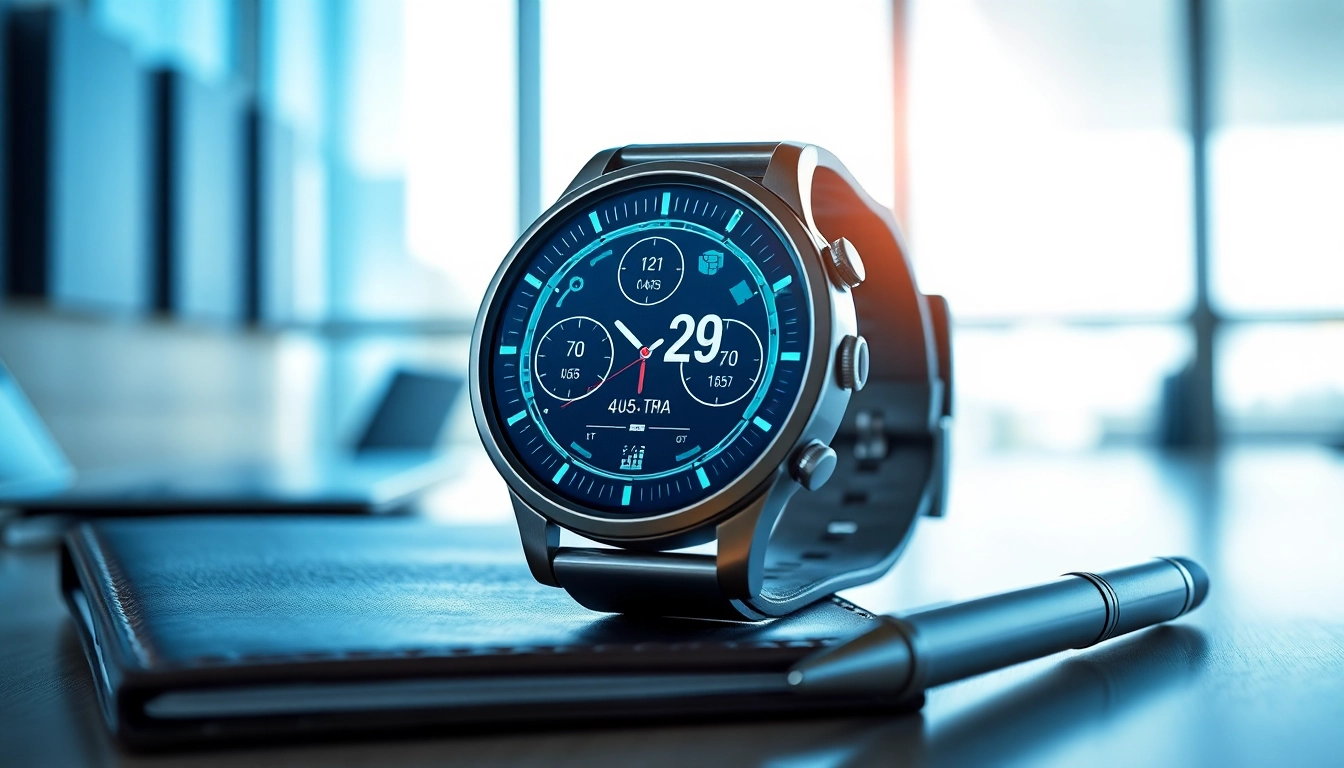
The Finesse Smart Watch boasts a vibrant display that is both tactile and responsive. The interface has been designed for intuitive navigation, utilizing a combination of touchscreen gestures and physical buttons to accommodate varying user preferences. The home screen displays custom widgets that users can modify, allowing for quick access to health metrics, notifications, and apps. With a resolution that ensures crisp visuals and bright colors, the display remains easily readable in various lighting conditions, enhancing the overall user experience.
Health Monitoring Capabilities
Equipped with advanced sensors, the health monitoring capabilities of the Finesse Smart Watch set it apart from standard models. Features include 24/7 heart rate monitoring, sleep tracking, and Blood Oxygen (SpO2) measurement, which provide valuable insights into user health. Moreover, the watch can analyze sleep patterns, differentiating between deep and light sleep stages, empowering users to improve their sleep quality over time. This health data can be synced with compatible health apps, providing a comprehensive overview of personal wellness and encouraging users to achieve their health goals.
Connectivity Options
The Finesse Smart Watch shines in connectivity, offering seamless integration with smartphones through Bluetooth technology. It supports a wide range of notifications, from texts and calls to app alerts, ensuring users stay connected without needing to check their phones constantly. This connectivity is further amplified by compatibility with both Android and iOS devices, providing a broader user base with access to its features. The device also supports Wi-Fi connecting in select scenarios, allowing users to download updates or sync data without depending on their smartphone.
Setting Up Your Finesse Smart Watch
Unboxing and Initial Setup
Starting with the unboxing experience, the Finesse Smart Watch comes with all essential accessories, including a charging cable and user manual. Once you have removed the watch from its packaging, the first step is to charge it fully. During the initial setup, users will be prompted to select their preferred language and adjust various settings. The process ensures that all preferences are set for a tailored experience right from the start.
Pairing with Your Smartphone
Pairing the Finesse Smart Watch with a smartphone is a straightforward process. Users need to download the companion app available on both Google Play and Apple App Store. Once installed, enable Bluetooth on the smartphone and follow the in-app instructions to pair the devices. A successful connection not only allows notifications to flow seamlessly to the watch but also enables comprehensive data syncing between the two devices, ensuring that health metrics are consistently updated.
Customizing Settings for Optimal Use
Customizing settings on the Finesse Smart Watch transforms it to suit individual user preferences. Through the companion app, users can adjust notifications, choose the type of data to be displayed on the home screen, and manage health tracking parameters. Additionally, users can set up personalized goals and reminders aimed at enhancing their fitness journey. These tailored settings play a significant role in driving engagement and fostering a significant relationship with the device.
Enhancing Daily Life with the Finesse Smart Watch
Tracking Fitness Goals
The Finesse Smart Watch excels in tracking fitness goals, offering a range of built-in exercise modes that cover everything from running to yoga. Users can set specific targets, such as steps, distance, and calories burned, with real-time feedback to help them stay on track. The watch also generates weekly and monthly reports that provide insights into progress, enabling users to adjust their fitness strategies as needed and celebrate their successes effectively.
Managing Notifications Effectively
To enhance daily life, the Finesse Smart Watch manages notifications efficiently. Users can choose which alerts they want to receive on their wrist, allowing them to prioritize what matters most. This feature is pivotal for keeping distractions at bay, enabling users to remain focused on their tasks without the need to check their phones constantly. The vibrational alert system ensures that important messages are not missed, promoting a balanced approach to technology use.
Utilizing Time Management Features
Time management is another area where the Finesse Smart Watch offers significant benefits. With features such as calendar alerts, reminders, and a built-in timer, users can manage their day effectively. Whether setting reminders for appointments or scheduling workouts, the watch provides the necessary prompts to keep users organized. Additionally, the ability to stagger notifications helps users maintain productivity and prevents overwhelm, making it an indispensable tool for busy individuals.
Common Issues and Troubleshooting
Syncing Problems
Despite its seamless functionality, users may occasionally experience syncing problems between their Finesse Smart Watch and smartphone. Common solutions include ensuring Bluetooth is activated on both devices, checking for software updates, and restarting both the watch and smartphone. Staying connected without interruption keeps the watch functioning optimally, ensuring all notifications and health metrics are accurate.
Battery Life Concerns
The battery life of the Finesse Smart Watch is typically robust, lasting up to 7 days under standard use. However, users can maximize battery longevity by adjusting display brightness, managing health tracking features, and minimizing constant notifications. If users notice rapid battery drainage, it’s advisable to explore these settings and adjust according to personal usage patterns to enhance performance.
Software Updates and Maintenance
Regular software updates ensure that the Finesse Smart Watch functions with the latest performance enhancements and security measures. Users should connect their watch to the companion app periodically to check for available updates. Additionally, keeping the device clean and ensuring it is stored properly when not in use helps prolong its lifespan and maintain aesthetics.
User Reviews and Performance Metrics
Customer Satisfaction Insights
User feedback plays a crucial role in understanding the value of the Finesse Smart Watch. Many reviews highlight the accuracy of health tracking features, the comfort of wear, and the user-friendly interface as top praises. A significant number of users also report that the battery life surpasses their expectations, establishing the watch as a reliable companion in both fitness and daily life routines. These insights contribute positively to the brand’s reputation.
Comparative Analysis with Competitors
A comparative analysis of the Finesse Smart Watch reveals its strengths in health monitoring and user interface design. While some competitors may excel in niche features, such as GPS tracking for specific activities, the Finesse Smart Watch provides a well-rounded experience without excessive complexity. This versatility often appeals to a broader audience, making it a strong competitor in the smartwatch market.
Long-Term User Experiences
Long-term user experiences with the Finesse Smart Watch tend to highlight durability and sustainability. Many users attest to the consistent performance over time, with minimal wear and tear even after extensive use. The ability to track progress and health metrics over months encourages users to maintain their fitness journeys, establishing lasting connections with the device as a personal health ally.
Frequently Asked Questions
What features make the Finesse Smart Watch unique?
The Finesse Smart Watch offers advanced health monitoring, seamless connectivity, and customizable notifications, setting it apart in the smartwatch market.
How long does the battery last on the Finesse Smart Watch?
Typical battery life for the Finesse Smart Watch lasts up to 7 days with standard usage before needing a recharge, making it reliable for extended use.
Can the Finesse Smart Watch track workouts?
Yes, it has built-in fitness tracking capabilities that monitor various workouts, including running, cycling, and swimming, encouraging active lifestyles.
Is the Finesse Smart Watch waterproof?
The Finesse Smart Watch is water-resistant, making it suitable for swimming but not recommended for diving or prolonged submersion in water.
How can I customize notifications on the Finesse Smart Watch?
You can personalize notifications through the paired smartphone app, allowing you to select which alerts to receive directly on your watch.